


https://phoenixnap.com/kb/configure-centos-network-settings
How to Configure Network Settings on CentOS 7 Using GUI
To configure your CentOS network interface via GUI, you need to open the Network Manager and modify the configuration according to your needs.
1. Open the Network Manager by running the following command in the command line:
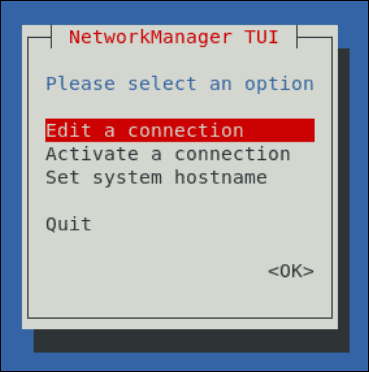
nmtui2. The command prompts the NetworkManager TUI window, which appears as in the image below. Select Edit a connection to view configuration settings.
3. Next, choose the network you want to configure.
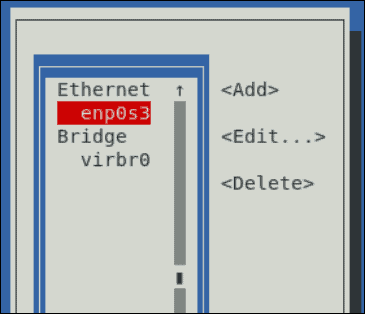
You can now edit the given connection.
Disable the Network Manager service
To disable the Network Manager service, perform the following steps:
-
Disable Network Manager with the following commands:
-
CentOS 7, CloudLinux 7, or RHEL 7:
1
2
systemctl stop NetworkManager systemctl disable NetworkManager
-
-
Change to the
/etc/sysconfig/network-scriptsdirectory. -
Open the
ifcfg-eth0andifcfg-lofiles with your preferred text editor and, if they exist, set the following keys’ values:1 2NM_CONTROLLED=no ONBOOT=yesImportant:If either of these keys does not exist in yourifcfg-eth0andifcfg-lofiles, do not add it. Instead, proceed to Step 4. -
Run the following commands to restart the network:
-
CentOS 7, CloudLinux 7, or RHEL 7:
1 2systemctl enable network.service systemctl start network.service
-
